
Bizarre Lineage Script – OP Auto Farm, Auto Spin & Fast XP (2026)
Bizarre Lineage is one of those Roblox games where progression really depends on how much time you’re willing to grind. Leveling up, spinning for better abilities, and building a strong combat setup can take a while especially if you’re farming mobs manually the whole time. That’s where this updated 2026 Bizarre Lineage Script comes in.
Instead of constantly clicking and repeating the same tasks, you can automate core parts of the game like Auto Farm and Auto Spin. It helps you gain XP faster, roll abilities more efficiently, and move through progression without it feeling like a chore.
Whether you’re trying to farm mobs for XP, spin for a stronger build, or just speed things up a bit, the GUI keeps everything simple and smooth. It’s lightweight, responsive, and easy to toggle on and off depending on what you need.If you want to level up faster without spending hours doing the same thing over and over, this script helps streamline the grind while staying stable during longer sessions.
Script Features
- Auto Farm (XP & Mobs)
- Auto Spin
- Fast Leveling Tools
- Smooth & Lightweight GUI
- Stable Execution
- Optimized Performance
- Keyless Access
Every feature is designed to reduce manual grinding while keeping gameplay fast and efficient.
Made by NeziaReal – Join Their Discord! For more updates & and more scripts and information!
Download Bizarre Lineage Script:
1How To Use the Bizarre Lineage Script
Follow the steps below to start using the Bizarre Lineage script with Auto Farm, Auto Spin, and fast XP features.
Step 1: Join the Game
Open Bizarre Lineage on Roblox:
Play Bizarre Lineage on Roblox
Wait until the game fully loads before executing the script.
Step 2: Execute the Script
Open your preferred Roblox executor, paste the script into the executor window, and click Execute once you are inside the game.
The script GUI will appear automatically.
Step 3: Enable Auto Farm
- Open the Main or Auto Farm tab
- Toggle Auto Farm to begin grinding mobs
- Adjust WalkSpeed or JumpPower if needed
This will automatically farm enemies and help you gain XP faster.
Step 4: Use Auto Spin & Combat Features
- Enable Auto Spin to roll abilities automatically
- Turn on Attach to Nearest Entity for auto farm combat
- Adjust Attack Distance for smoother farming
Bizarre Lineage Script FAQ 2026
More Roblox Scripts
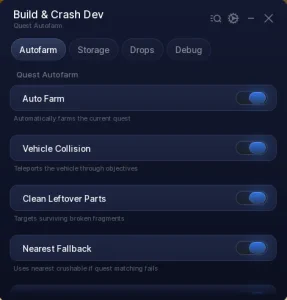 Build and Crush Script – Auto Farm, Auto Claim & Auto Storage Reset (No Key)
 Crunch My Butter Script (2026) – Auto Farm, Auto Upgrades & No Key
 Anime Expeditions Script (2026) – Auto Farm, Auto Play, Macro, OP Script No Key
 Land or Die Script 2026 – Auto Farm (Working & Free)
 Anime Astral Simulator Script – Auto Farm, Auto Fight, Auto Hatch & More (2026)
 Build A Ring Farm Roblox – Features, Auto Farm & Infinite Rings Script Tips
 Run For Brainrots Script – Instant Get CELESTIAL Script (2026)
 Garden Tower Defense Script – Auto Win & Farm Roblox
 Build A Zoo Script – AUTO COLLECT, AUTO FARM & INSTANT FISH (NO KEY)
![[RELEASE] Jujutsu Infinite Script – Auto farm & Quest! Instant kill, Infinite Skills](https://tr.rbxcdn.com/180DAY-decec85a41b80e4ac0beca8bc2952a7f/768/432/Image/Webp/noFilter) [RELEASE] Jujutsu Infinite Script – Auto farm & Quest! Instant kill, Infinite Skills
[RELEASE] Jujutsu Infinite Script – Auto farm & Quest! Instant kill, Infinite Skills
 NEW Brainrot Evolution Script – MAX LEVEL + INFINITE DIAMONDS & TROPHIES!
 +1 Mog Evolution Script – Auto Click, Auto Rebirth & Auto Win