
[UPD] Titan Fishing Script Auto Farm & Auto Catch (2026)
What Is Titan Fishing?
Titan Fishing is a Roblox fishing simulator where players catch fish, upgrade rods, unlock new fishing zones, and sell rare catches to earn money. Progression depends on consistent catching, upgrading equipment, and maximizing efficiency to unlock higher-value fishing areas.
Because fishing requires constant timing, reeling, and selling, manual grinding can slow down long-term progression — especially when aiming to farm money quickly.
Titan Fishing Script Features
The Titan Fishing Script is designed to automate the core fishing mechanics, helping reduce repetitive actions while improving overall farming efficiency. Instead of manually catching and selling fish, the script handles key systems automatically.
- Auto Farm (PC Support) – Automatically farms fish on PC with optimized click timing and casting control.
- Auto Skill – Automates skill-based fishing mechanics to improve consistency and reduce failed catches.
- Farm Click Speed Control – Adjustable click speed slider to fine-tune farming performance based on server stability.
- Auto Sell When Bag Full – Automatically sells fish once inventory reaches capacity to maintain continuous farming.
- PC Hotkey Toggle – Assign a hotkey (default: F) to quickly enable or disable Auto Farm.
- Teleport System – Quickly move between fishing locations for optimized farming routes.
- Misc Settings – Additional configuration options for smoother execution and stability.
Made by Hune Hub – Join Their Discord! For more updates & and more scripts and information!
Download Titan Fishing Script:
1How to Use
- Open Titan Fishing normally in Roblox and wait for the game to fully load (your character and fishing UI should appear).
- Copy the Titan Fishing Script loadstring provided above and paste it into your executor.
- Attach your executor and execute the script once the game has fully loaded.
- Wait for the GUI to initialize. If it does not appear, press Insert or Home to toggle the interface.
- Confirm your device is set correctly (PC mode if applicable).
- Enable Auto Farm first to make sure the script is functioning properly.
- Adjust the Farm Click Speed slider if needed to match your server performance.
- Turn on Auto Sell When Bag Full to maintain continuous farming without manual inventory management.
- Use the assigned Hotkey (default: F) to quickly toggle Auto Farm on or off when needed.
Titan Fishing Script FAQ 2026
Related Fishing & Auto Farm Scripts
- Fish It Script – Instant Catch & Auto Farm (No Key)
https://scriptsrbx.com/fish-it-script-no-key-instant-catch-auto-features/ - Free Fish It Script – Keyless Auto Fishing & Auto Sell
- https://scriptsrbx.com/free-fish-it-script-keyless-instant-auto-fishing-auto-farm/
- Cage Fishing Script – Auto Collect Cages & Instant Sell
- https://scriptsrbx.com/new-cage-fishing-script-%f0%9f%90%9f-auto-collect-cages-instant-sell-infinite-money/
- Fish It Valentine Update Script – Auto Fish Event Features
- https://scriptsrbx.com/fish-it-valentine-update-script-keyless-auto-fish-event-features/
More Roblox Scripts
 Free Fisch script Max LEVEL NO Key FASTEST AUTO FISH, PERFECT CATCH, Auto Farm
 Build and Crush Script – Auto Farm, Auto Claim & Auto Storage Reset (No Key)
 Crunch My Butter Script (2026) – Auto Farm, Auto Upgrades & No Key
 Anime Expeditions Script (2026) – Auto Farm, Auto Play, Macro, OP Script No Key
 Land or Die Script 2026 – Auto Farm (Working & Free)
 Anime Astral Simulator Script – Auto Farm, Auto Fight, Auto Hatch & More (2026)
![[NEW UPDATE] Anime Eternal Script – AUTO RAID + FAST KILL AURA, AUTO HATCH & AUTO ROLL 2026 (OP GUI)](https://tr.rbxcdn.com/180DAY-eb3030ef2c384222464a6b66f4714f82/768/432/Image/Webp/noFilter) [NEW UPDATE] Anime Eternal Script – AUTO RAID + FAST KILL AURA, AUTO HATCH & AUTO ROLL 2026 (OP GUI)
[NEW UPDATE] Anime Eternal Script – AUTO RAID + FAST KILL AURA, AUTO HATCH & AUTO ROLL 2026 (OP GUI)
 Bike For Egg Script – Auto Farm Eggs, WalkSpeed & JumpPower
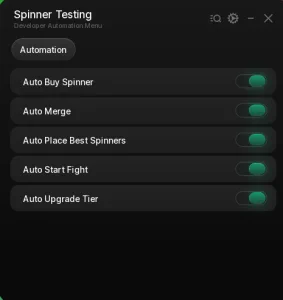 Merge a Spinner Script – Auto Merge, Auto Buy, Auto Place Best & Auto Fight
 Tap Simulator Reborn Script – Auto Tap, Auto Hatch, Auto Rebirth & Auto Potions
![[💎UPD] Fish It! Script – Auto Farm, Instant Catch & Fishing](https://tr.rbxcdn.com/180DAY-d612acdb03ba6e23e0c637328e22efc1/768/432/Image/Webp/noFilter) [💎UPD] Fish It! Script – Auto Farm, Instant Catch & Fishing
[💎UPD] Fish It! Script – Auto Farm, Instant Catch & Fishing
 Bubble Gum Simulator INFINITY Script (2026) – Auto Farm & More!