
Raft 101 Script – Teleport to Items, Crates & Gifts, Auto Farm & God Mode
Looking for a Raft 101 script? Our own ScriptsRBX script lets you pick an item, crate or gift and teleport straight to it, with Auto Farm and God Mode for safe exploring.
Raft 101 is a Roblox survival game where you live on a raft at sea, collect floating materials and loot from islands, craft and expand your raft and survive hostile creatures and the elements.
Raft 101 Script Features
- Item Selector — Choose a specific item, such as a Medkit.
- Teleport to Selected Item — Teleports you to the chosen item.
- Crate Teleport — Pick a crate type, such as Wooden Chest, and go to it.
- Gift Teleport — Finds and teleports you to gifts across islands.
- Auto Farm — Collects materials and rewards.
- God Mode — Keeps you alive against mobs and damage.
Hub 1 is ScriptsRBX. All credit goes to the developers.
1. ScriptsRBX – Item, Crate and Gift Teleports, Auto Farm and God Mode
1How To Use The Raft 101 Script
- Open Roblox and launch Raft 101.
- Start your preferred Roblox executor.
- Copy the Raft 101 script.
- Paste the script into your executor.
- Execute the script.
- Turn on the features you want in the menu that opens.
ScriptsRBX: What It Does
Our own script has an Item Selector that teleports you to the item you pick, crate and gift teleports, Auto Farm for materials and God Mode so mobs and damage cannot stop you.
Raft 101 Script FAQ
Does the Raft 101 script still work after updates?
Raft 101 is in alpha and updates often. The script is small and has kept working across recent patches, but a big update can break it until it is fixed.
More Roblox Scripts
 Break a Brainrot Egg Script – Auto Break Eggs, Auto Farm Coins & AFK Farm
 +1 Mog Evolution Script – Auto Click, Auto Rebirth & Auto Win
 Anime Expeditions Script – Auto Play, Macro, Auto Farm & Auto Raid
 Anime Eternal Script – Fast Kill Aura, Auto Raid, Auto Dungeon & Auto Hatch
 Murder Mystery 2 Auto Farm Coins Script – Auto Win & Kill AURA
 Bug Evolution Script – Teleport Orbs, Auto Farm, Auto Evolve & Biome Teleport
 Build a Roller Coaster Script – Auto Farm, Auto Buy & Money
 Draw & Slide Script – Auto Win, Auto Farm Money & Anti AFK
 Rope an Animal Script – Auto Rope Animals, Rarity Filter, Auto Sell & Auto Treadmill
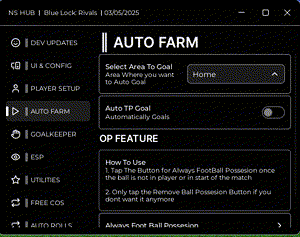 Blue Lock Rivals Script – Auto Goal, Auto Dribble, Ball Aimbot & Infinite Stamina
 Run For Brainrots Script – Auto Farm, Zone Select, God Mode & Speed
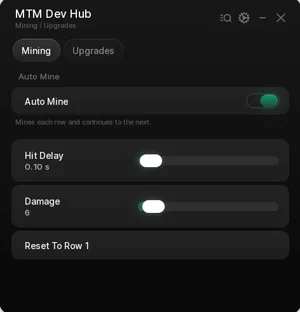 Flatten The Mountain Script – Auto Mine, Auto Upgrade, Damage & Hit Delay