
Anime Eternal Script – Fast Kill Aura, Auto Raid, Auto Dungeon & Auto Hatch
Looking for an Anime Eternal script? All three of our Anime Eternal scripts are on this page, newest first: a hub with Fast Kill Aura, Auto Raid, Auto Hatch and Auto Roll, AI Hub with Auto Farm and Auto Dungeon, and IDKHub with dungeon and raid farming.
Anime Eternal is a Roblox anime fighting simulator where you defeat enemies for energy and drops, clear dungeons and raids, hatch and roll for stronger fighters and upgrades, and move on to new worlds as you level up.
Anime Eternal Script Features
- Fast Kill Aura — Defeats every mob around you.
- Auto Raid Farm — Completes raids automatically and collects the rewards.
- Auto Farm Energy — Farms energy with teleport and smart targeting.
- Auto Hatch & Auto Roll — Hatches pets and rolls upgrades nonstop.
- Auto Stats & Quest Farm — Spends stats and farms quests for you.
Hub 1 is Eternal GUI: discord.gg/ZkptAdmFDg. Hub 2 is AI Hub: discord.gg/XNQRmaqZ. Hub 3 is IDKHub: discord.gg/p2wdKKe9MG. All credit goes to the developers.
1. Eternal GUI – Fast Kill Aura, Auto Raid, Auto Hatch and Auto Roll
1How To Use The Anime Eternal Script
- Open Roblox and launch Anime Eternal.
- Start your preferred Roblox executor.
- Pick one of the Anime Eternal scripts below and copy it. Hub 1 is the newest.
- Paste the script into your executor.
- Execute the script.
- Turn on the features you want in the menu that opens.
Eternal GUI: What It Does
This hub's Fast Kill Aura wipes mobs around you, Auto Raid Farm completes raids, Auto Farm Energy teleports to targets, and Auto Hatch and Auto Roll keep pulling for stronger fighters. Auto Stats and quest farming are included too.
2. AI Hub – Auto Farm, Fast Kill Aura, Auto Dungeon and Raids
AI Hub has Fast Kill Aura, Auto Farm for rewards and XP and Auto Dungeon and Raids to clear dungeons and farm bosses while AFK.
13. IDKHub – Fast Kill Aura, Auto Dungeon and Auto Raid
IDKHub has Fast Kill Aura, Auto Dungeon, an Auto Raid Farm for raid bosses and Auto Farm Drops. It needs a key: join the IDKHub Discord and get one from the #key channel.
1Anime Eternal Script FAQ
Which Anime Eternal script should I use?
Do any of these need a key?
More Roblox Scripts
 NEW Free DIG Script! 🔥 Auto Pile, Auto Dig, Auto Pizza & More! (NO KEY 2026)
 Bug Evolution Script – Teleport Orbs, Auto Farm, Auto Evolve & Biome Teleport
 [❄️WINTER] Jujutsu Infinite Script Keyless Auto Farm level and BOSS!
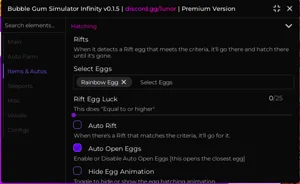 Bubble Gum Simulator Infinity Script – Auto Bubble, Auto Sell, Auto Enchant & Auto Farm
 NEW Volleyball Legends Script (2026) – Infinite Spins, Auto Play & More OP Features!
 +1 Slinky Escape Script – Auto Farm, Auto Walk & Auto Rebirth
 Flatten The Mountain Script – Auto Mine, Auto Upgrade, Damage & Hit Delay
 Build the Pyramid Script – Auto Farm Blocks, Auto Place & Auto Upgrades
 [UPD] Blue Lock: Rivals Script Free Script – Auto Goal, Teleport, Infinite Stamina & More!
 Cut a Rock Script – Auto Farm Best Stage & Auto Sell
 Steal a Brainrot Script – 7 Working Keyless Hubs (Auto Steal, Instant Steal, NoClip)
 +1 DMG FPS Script – Auto Farm Stage, Auto Buy Best Gun, Auto Train & Auto Rebirth