
Cut a Rock Script – Auto Farm Best Stage & Auto Sell
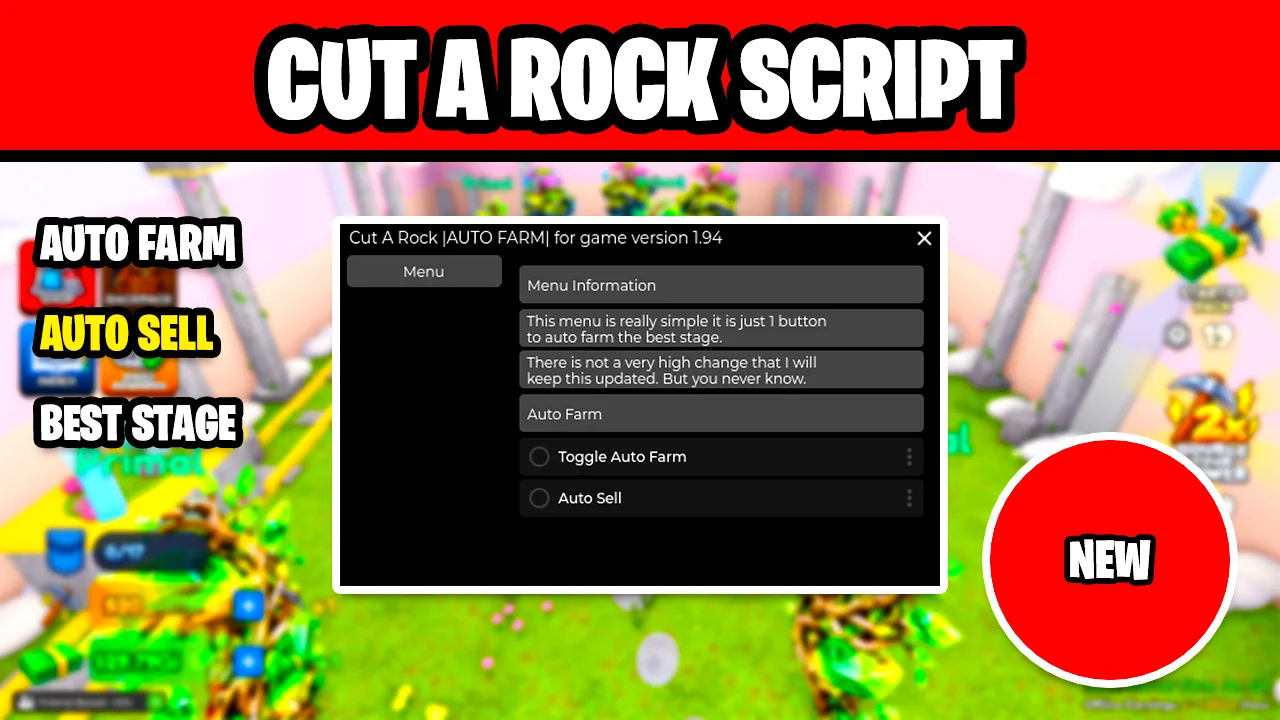
Looking for a Cut a Rock script that mines for you? This simple menu has just two switches: Toggle Auto Farm, which farms the best stage you have, and Auto Sell, so you can leave your character mining and selling while you spend the cash on upgrades.
Cut a Rock is a Roblox incremental simulator where you train on anvils to gain Power, break through floors to collect rare rocks, cut them open in machines to reveal hidden materials, and sell your finds to buy stronger pickaxes and reach deeper floors.
Cut a Rock Script Features
- Toggle Auto Farm — Farms the best stage for you, mining rocks without you clicking.
- Auto Sell — Sells your rocks automatically while you farm.
- One-Button Menu — The whole script is two switches, so there is nothing to set up.
- Made for Version 1.94 — Built for game version 1.94; the developer says it may not be updated after game updates.
Credits go to pixeldragon88 for making this script.
Download Cut a Rock Script:
1Last checked: November 7, 2026 on the Delta executor — script attached and the menu loaded. Game updates can break scripts at any time; re-execute the latest version from this page if a feature stops responding.
How To Use The Cut a Rock Script
- Open Roblox and launch Cut a Rock.
- Start your preferred Roblox executor.
- Copy the Cut a Rock script.
- Paste the script into your executor.
- Execute the script.
- Turn on Toggle Auto Farm and Auto Sell.
What To Do With The Cash
With Toggle Auto Farm and Auto Sell on, money keeps coming in. The script does not buy anything for you, so spend it yourself on Pocket and Eyesight upgrades, better pickaxes and new cutting machines to farm faster.
Cut a Rock Script FAQ
Why did the Cut a Rock script stop working?
Does the script buy upgrades or pickaxes?
More Roblox Scripts
 [❄️WINTER] Jujutsu Infinite Script Keyless Auto Farm level and BOSS!
 Free Fisch script Max LEVEL NO Key FASTEST AUTO FISH, PERFECT CATCH, Auto Farm
 🔦 99 Nights in the Forest Script [CLASSES] – Auto Win, Find Lost Children, TP & More!
 Steal Animal Egg Script – Auto Farm Eggs, Rarity Filter, Egg Teleport & Walk Speed
 Anime Eternal Script [UPDATE] – Fast Kill Aura + Auto Dungeon & Raids
 [🌱] Grow a Garden Lunor Script
 Dead Rails Script – 3 Working Hubs (Auto Bond, Auto Win, Infinite Bonds)
 Tap Simulator Reborn Script – Auto Tap, Auto Hatch, Auto Rebirth & Auto Potions
 Prospecting Script (2026) – Auto Farm, Auto Pan, Shake & Sell Fast!
 [NEW] Hypershot Gunfight Script – Silent Aimbot, ESP, Triggerbot & More! (2026)
NEW! Hypershot Script – Silent Aimbot, ESP & Instant Kill (Free & Keyless)
 MY WATERPARK Roblox Script – Infinite Money & Auto Farm