
Restaurant Tycoon 3 Script – Auto Cook, Instant Cook, Auto Seat & Auto Collect Money
Looking for a Restaurant Tycoon 3 script? SpaceHub runs the restaurant for you: Auto Cook and Instant Cook, Auto Seat Customers, Auto Take Orders, Auto Give Food and Auto Collect Money.
Restaurant Tycoon 3 is a Roblox tycoon where you build and decorate your own restaurant, seat customers, take their orders, cook and serve the food and spend what you earn on a bigger menu and better furniture.
Restaurant Tycoon 3 Script Features
- Auto Cook — Cooks meals when you are near the kitchen.
- Instant Cook — Skips the cooking wait.
- Auto Seat Customers — Seats guests at tables.
- Auto Take Orders — Takes customers' orders.
- Auto Give Food — Serves meals to customers.
- Auto Collect Money — Picks up your cash.
Hub 1 is SpaceHub: discord.gg/ktC6dNVxDC. All credit goes to the developers.
1. SpaceHub – Auto Cook, Auto Seat, Auto Serve and Auto Collect Money
12How To Use The Restaurant Tycoon 3 Script
- Open Roblox and launch Restaurant Tycoon 3.
- Start your preferred Roblox executor.
- Copy the Restaurant Tycoon 3 script.
- Paste the script into your executor.
- Execute the script.
- Turn on the features you want in the menu that opens.
SpaceHub: What It Does
SpaceHub covers every step of service: Auto Cook near the kitchen with Instant Cook, Auto Seat Customers, Auto Take Orders, Auto Give Food and Auto Collect Money.
Restaurant Tycoon 3 Script FAQ
Do I need to stand in the kitchen for Auto Cook?
Auto Cook works when you are near the kitchen. The other features, such as seating and serving, run wherever you are.
More Roblox Scripts
 Murder Mystery 2 Auto Farm Coins Script – Auto Win & Kill AURA
Murder Mystery 2 Script – Auto Farm Coins, Kill Aura, ESP & Weapon Spawner
 Slime RNG Script – Fast Auto Roll, Auto Equip Best, Auto Rebirth & Auto Buy Upgrades
 Fisch Script – Auto Fish, Auto Shake, Skip Reel, Auto Sell & Teleports
 Break a Brainrot Egg Script – Auto Break Eggs, Auto Farm Coins & AFK Farm
 Run For Brainrots Script – Instant Get CELESTIAL Script (2026)
 Abyss Script – Infinite Oxygen, Auto Fish, Auto Catch & Instant Reel
 Fish It Script – Instant Fishing, Auto Farm & Fast Catch (KEYLESS)
 Cut a Rock Script – Auto Farm Best Stage & Auto Sell
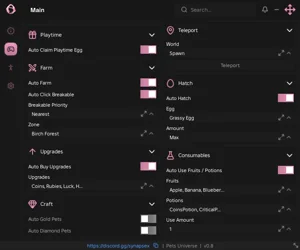 Pets Universe Script – Auto Farm, Auto Hatch, Auto Upgrades & Auto Potions
 Huss Valley Script – Auto Cross, Auto Dodge, Auto Catch & ESP
 Sailor Piece Script – Auto Farm, Kill Aura, Boss Farm & Auto Dungeon